See MejaQR in Action
From the customer's phone to your kitchen and counter — one connected system.
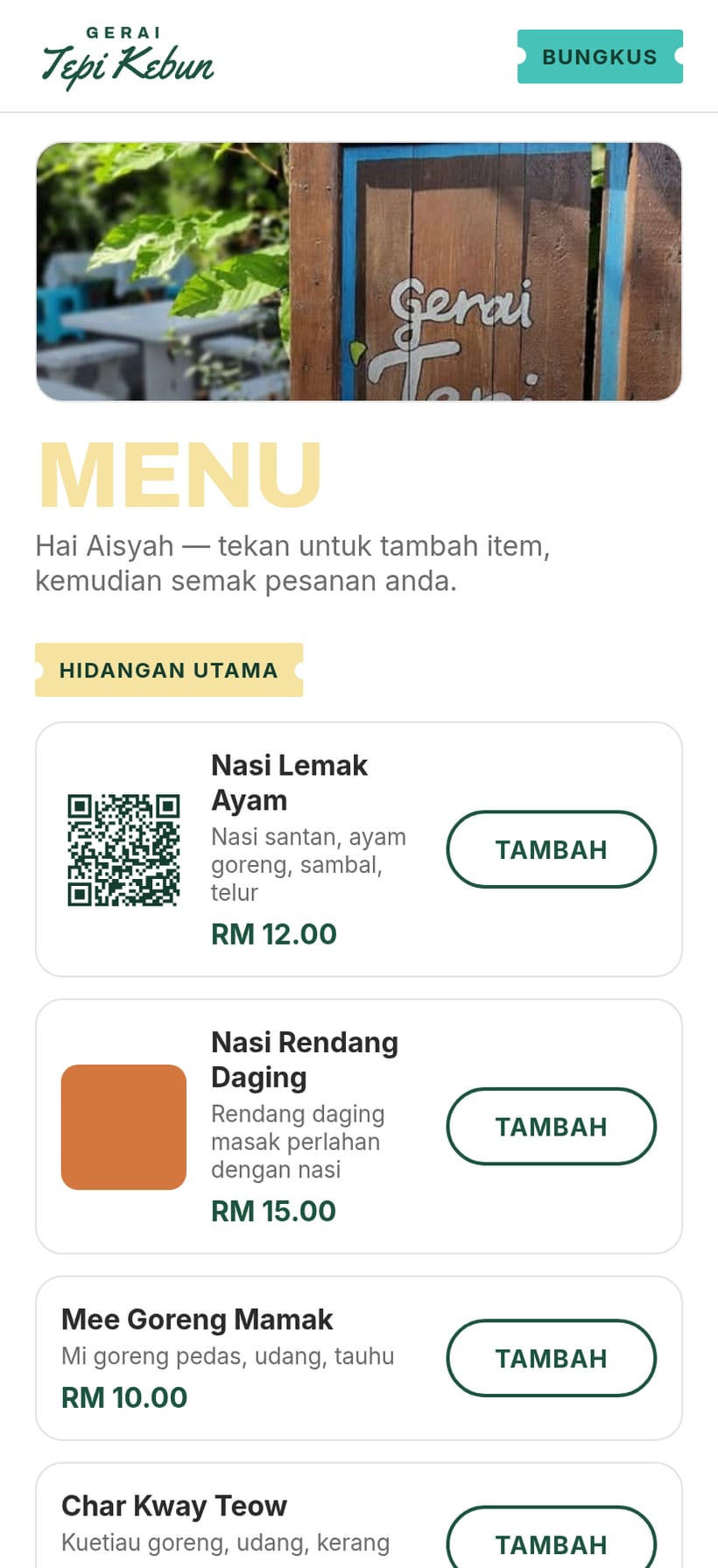
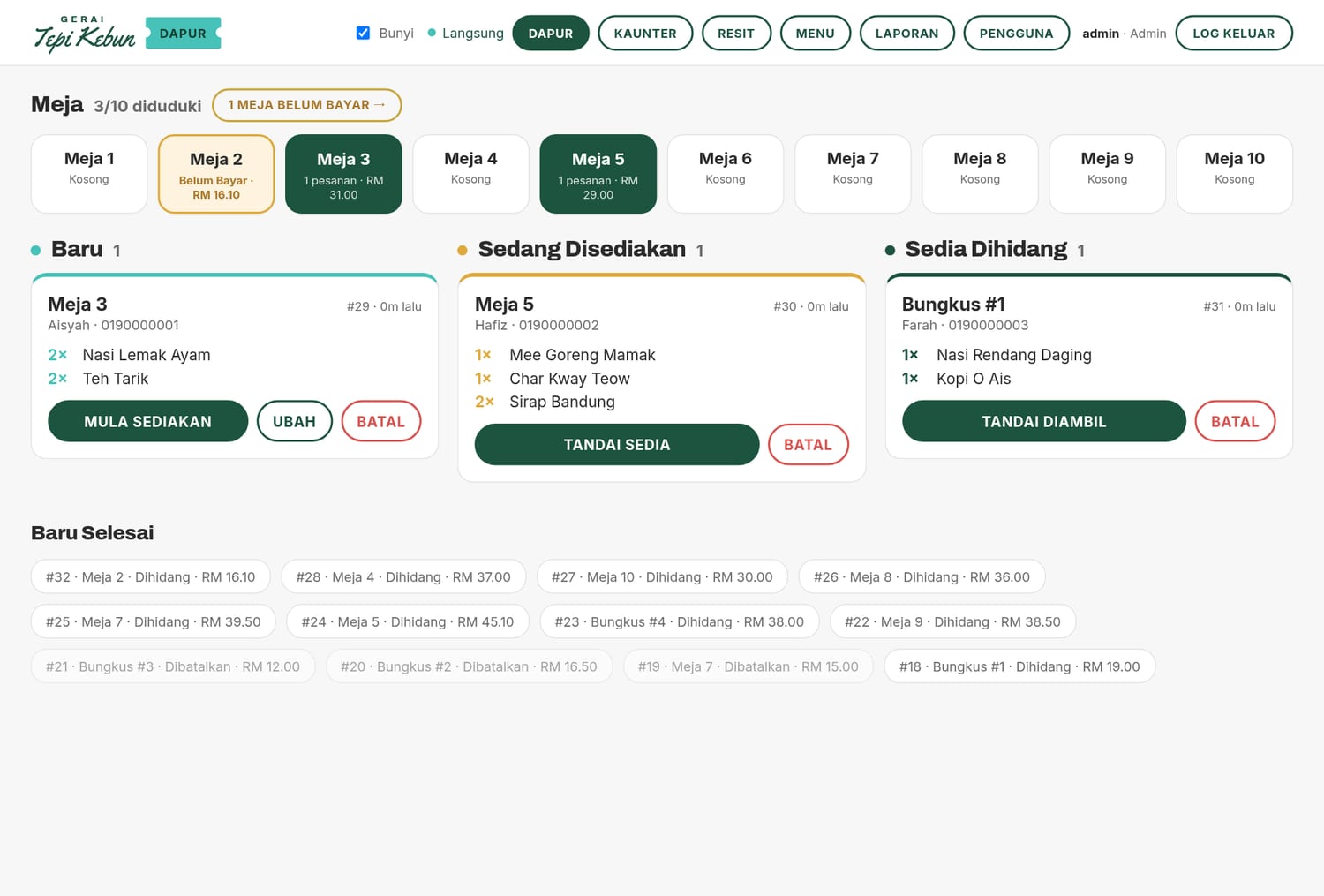
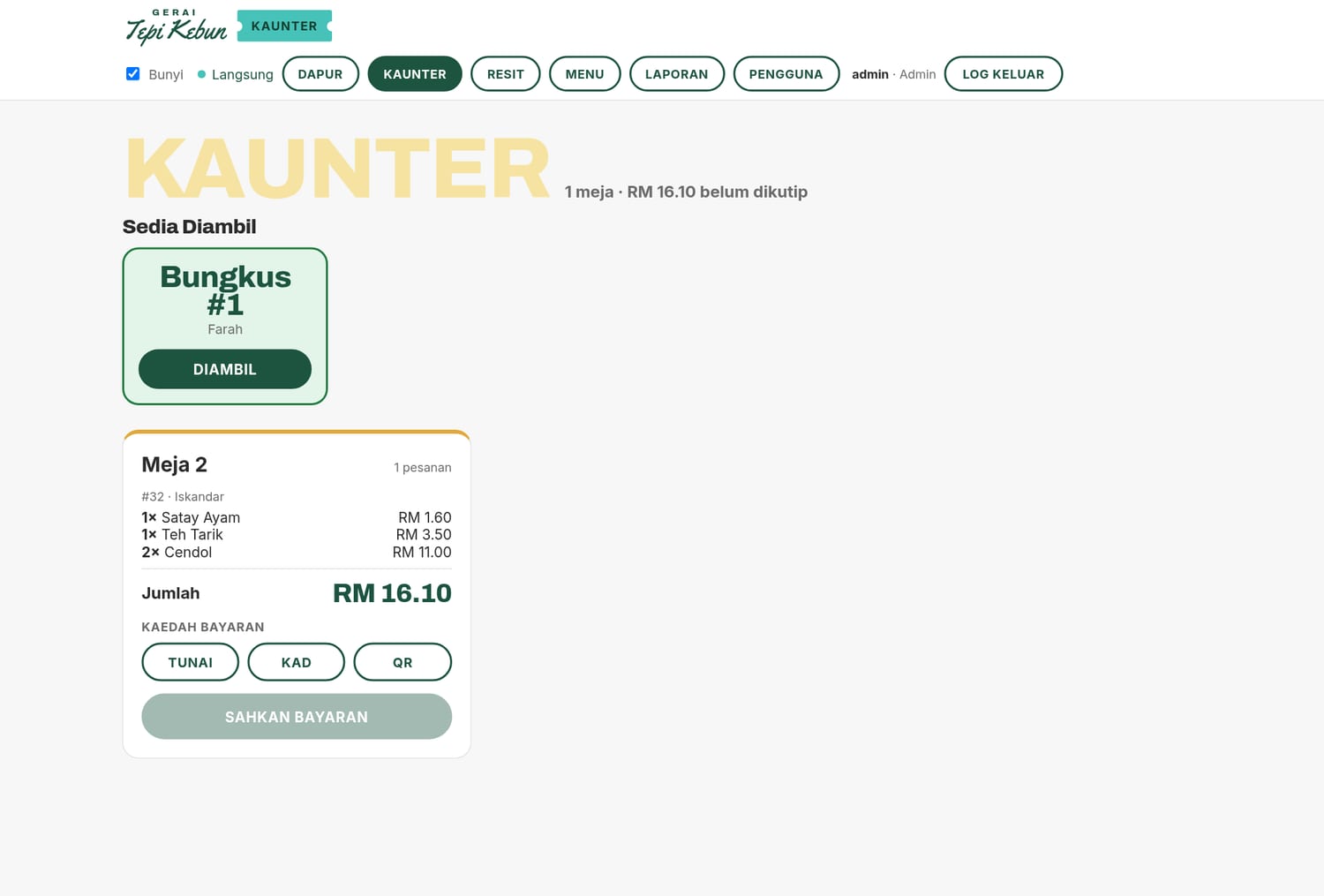
A complete QR self-ordering system for restaurants, kedai and warung: customers order from their phone, your kitchen sees every ticket live, and the counter settles bills in seconds. No app to download, no waiter bottleneck.
One system that runs the floor, the kitchen, and the counter — built for the way Malaysian F&B actually works.
Each table has its own QR code. Customers scan, browse the menu with photos, and send their order straight to the kitchen — no app, no waiting to flag down staff.
Orders appear instantly on the kitchen board with a sound alert and a clear flow: Baru → Sedang Disediakan → Sedia → Dihidang. Nothing gets lost on paper.
A counter QR lets walk-in customers self-order for pickup, complete with daily pickup numbers and a "ready to collect" callout.
Settle bills per table or per order, record the payment method, and print or share a PDF receipt — all from one cashier screen.
Add items, set prices and photos, group by category, and toggle "sold out" in real time — changes show on the customer menu immediately.
See takings grouped by day, broken down by payment method, with exportable PDF summaries for your records.
Separate Admin, Cashier and Kitchen accounts so each person only sees the screens they need. Manage staff in a few taps.
Fully in Bahasa Malaysia, designed for warung, kedai and restaurants — familiar wording your staff and customers already understand.
From the customer's phone to your kitchen and counter — one connected system.
We handle the setup so you can focus on the food.
MejaQR runs on your own device on the shop's Wi-Fi — self-hosted, no per-order commission, no monthly platform fees.
We generate a print-ready sheet of table QR codes plus a takeaway counter code, branded for your shop.
They scan, order, and pay attention to the food — while your kitchen and cashier see everything update live.
Hands-on staff training and ongoing support from WFH Digital, so you're never left on your own.
See MejaQR running end-to-end and get a quote tailored to your restaurant. Reach out and we'll set up a walkthrough.